
How to Use IQOS ILUMA Prime Kit Device

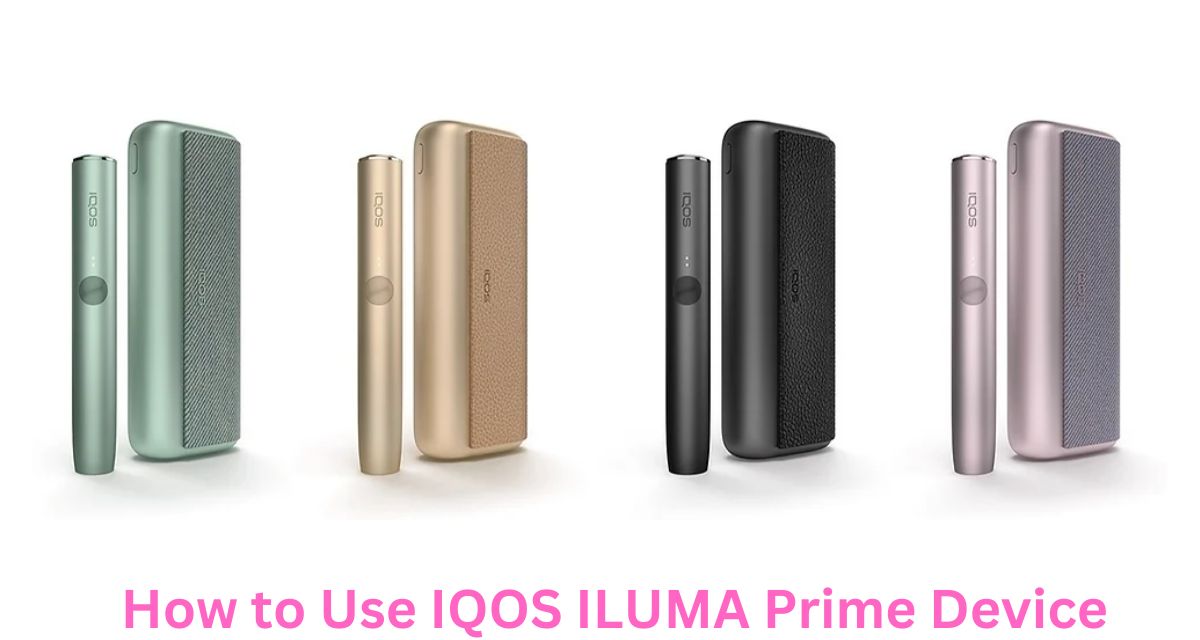
IQOS ILUMA Prime Kit is one of the most advanced heated tobacco devices available today. Designed with cutting-edge induction heating technology, it delivers a cleaner and more consistent experience compared to older IQOS models. Unlike traditional systems that use a blade, the ILUMA Prime works with specially designed tobacco sticks and heats them without direct contact.
If you are new to the device or upgrading from an older version, this complete guide will help you understand how to use it properly, maintain it, and get the best performance.
Understanding the IQOS ILUMA Prime Kit
Before using the device, it’s important to understand its main components. The IQOS ILUMA Prime Kit typically includes:
- Holder (the part you use to smoke)
- Pocket Charger (charges the holder)
- Charging cable and adapter
- Compatible tobacco sticks (such as TEREA)
The device uses induction heating, which means it heats the tobacco from within using a metal element inside the stick. This eliminates the need for a blade and reduces cleaning requirements.
Unboxing and First Setup
1. Check the Contents
After opening the box, make sure everything is included and undamaged. The holder and pocket charger should be clean and properly assembled.
2. Fully Charge the Device
Before first use, charge the device completely.
- Connect the pocket charger to a power source
- Place the holder inside the charger
- Wait until all indicator lights show full charge
Charging may take around 90 minutes for a full cycle.
How to Use the IQOS ILUMA Prime
Step 1: Remove the Holder
Take the holder out of the pocket charger. The holder is the part you will use for each session.
Step 2: Insert a TEREA Stick
Insert a TEREA stick into the holder:
- Place it gently into the chamber
- Push until it reaches the marked line
- Do not twist or force it
Make sure you are using compatible sticks only, as the device will not work with older HEETS.
Step 3: Start Heating
To begin using the device:
- Press and hold the button on the holder for about 1–2 seconds
- The device will vibrate and lights will start blinking
This indicates the heating process has started.
Step 4: Wait for Preheating
The preheating process usually takes about 20 seconds.
- The device will vibrate again when ready
- The light will become solid
Now the device is ready for use.
Step 5: Take Puffs
Once ready:
- Place the holder to your lips
- Take slow, steady puffs
Each session typically lasts:
- Around 14 puffs
- Or about 6 minutes, whichever comes first
Avoid taking very fast or aggressive puffs, as this can reduce vapor quality.
Step 6: End of Session
When the session is almost over:
- The device will vibrate
- The light may blink
This indicates the session is ending.
Step 7: Remove the Used Stick
After the session:
- Gently pull out the used TEREA stick
- Dispose of it properly
Do not reuse the stick, as it is designed for single use only.
Step 8: Recharge the Holder
Place the holder back into the pocket charger to recharge it.
- The holder usually supports one session per charge
- The pocket charger can recharge it multiple times
Understanding Indicator Lights and Vibrations
The IQOS ILUMA Prime uses lights and vibrations to communicate status.
Common Signals:
- Blinking light – Heating in progress
- Solid light – Ready to use
- Vibration – Start or end of session
- Low battery light – Needs charging
Learning these signals helps you operate the device smoothly.
Charging the IQOS ILUMA Prime
Charging the Pocket Charger:
- Connect to a power source using the cable
- Wait until all lights indicate full charge
Charging the Holder:
- Insert it into the pocket charger
- Charging starts automatically
Avoid overcharging and unplug once fully charged.
Tips for Best Performance
1. Use Only Compatible Sticks
Always use TEREA sticks designed for ILUMA devices. Using incorrect sticks will not work and may damage the device.
2. Take Proper Puffs
- Slow and steady draws work best
- Avoid chain usage without breaks
This ensures better flavor and consistent vapor.
3. Keep the Device Clean
Although ILUMA devices require less cleaning, you should still:
- Check the chamber occasionally
- Remove any dust or debris
Use a dry cloth or cleaning tool if needed.
4. Store Properly
- Keep the device in a cool, dry place
- Avoid extreme heat or cold
- Do not expose to water
Common Issues and Solutions
1. Device Not Heating
- Check battery level
- Ensure stick is inserted properly
- Reset the device by holding the button for 10 seconds
2. Weak Vapor
- Charge the holder
- Use a fresh stick
- Take slower puffs
3. Device Not Charging
- Try a different cable
- Clean charging contacts
- Check power source
4. Bad Taste
- Use fresh sticks
- Avoid overheating by taking breaks
- Store sticks properly
5. Stick Not Inserting Properly
- Check for debris inside chamber
- Remove any blockage
- Try another stick
Advanced Features
Auto-Start Function
Some versions of ILUMA Prime support auto-start:
- Heating begins automatically when you insert a stick
If it doesn’t work, you can still start manually using the button.
Smartcore Induction System
This technology ensures:
- Even heating
- No blade cleaning
- Reduced maintenance
It also improves consistency in every session.
Safety Guidelines
- Do not disassemble the device
- Do not use damaged sticks
- Avoid using in extreme temperatures
- Keep away from children
- Use only original accessories
When to Replace the Device
You should consider replacing the device if:
- It no longer heats properly
- Battery performance drops significantly
- It shows constant error signals
- Physical damage affects usage
Final Thoughts
The IQOS ILUMA Prime Kit is designed to provide a modern, clean, and convenient alternative to traditional smoking. With its advanced induction heating system, it eliminates many of the problems found in older devices, such as blade breakage and frequent cleaning.
Using the device correctly is simple once you understand the steps: charge, insert, heat, and enjoy. By following proper usage habits—like using compatible sticks, charging correctly, and avoiding overuse—you can ensure a smooth and consistent experience every time.