
How to Fix IQOS TEREA Indonesia:Troubleshooting Guide

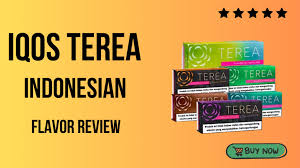
IQOS TEREA sticks (especially Indonesian variants) are designed to work with IQOS ILUMA devices using a modern heating system called induction heating. Unlike older HEETS systems, TEREA sticks contain a sealed internal metal element that heats from within, meaning fewer cleaning requirements but also a different set of possible issues.
Even though the system is advanced, users still face common problems such as weak vapor, burnt taste, device not detecting sticks, or improper heating. The good news is that most of these issues can be fixed easily if you understand the causes.
This guide explains everything step-by-step.
Understanding How IQOS TEREA Works
Before fixing anything, it’s important to understand the basics:
- TEREA sticks are sealed and cannot be opened or refilled
- They work only with IQOS ILUMA devices
- The heating happens internally via induction (no blade)
- The device detects the stick automatically
Because of this system, problems usually come from:
- Stick quality or condition
- Device detection errors
- Battery or temperature issues
- Dirt or obstruction inside the holder
1. IQOS Not Detecting TEREA Stick
Common Causes:
- Wrong insertion
- Damaged or defective stick
- Debris inside holder
- Device glitch
Fix:
Step 1: Insert Properly
Make sure the TEREA stick is inserted straight and gently. Do not twist or force it. Unlike older IQOS, ILUMA does not require pressure.
Step 2: Try Another Stick
Sometimes a single stick is faulty. Replace it with a fresh one to test.
Step 3: Check Inside the Holder
Remove the stick and look inside. If any tobacco piece or broken stick is stuck, carefully remove it using a toothpick.
Step 4: Reset the Device
Press and hold the button for about 7–10 seconds until the lights blink. This refreshes the system and fixes detection errors.
2. Weak Vapor or Low Smoke
Causes:
- Old or dry TEREA sticks
- Improper storage
- Low battery
- Airflow blockage
Fix:
Step 1: Use Fresh Sticks
TEREA sticks lose quality if stored too long or exposed to humidity. Poor storage directly reduces vapor quality.
Step 2: Charge the Device
Low battery leads to weak heating. Fully charge your IQOS before use.
Step 3: Check Airflow
Look at the cap and airflow channels. If blocked, gently clean using a dry cotton swab.
Step 4: Avoid Reusing Sticks
A used TEREA stick produces almost no vapor because the tobacco is already heated once.
3. Burnt Taste or Harsh Flavor
Causes:
- Overheating due to chain use
- Dry or fake TEREA sticks
- Poor storage conditions
Fix:
Step 1: Pause Between Sessions
Give your device time to cool down. Continuous use can overheat the system.
Step 2: Store Properly
Keep TEREA packs in a cool, dry place. Avoid sunlight and humidity.
Step 3: Check Authenticity
Fake or low-quality sticks often cause:
- Burnt taste
- Chemical smell
- Harsh throat hit
Always use genuine products.
4. Device Not Heating
Causes:
- Battery drained
- Device error
- Temperature outside range
Fix:
Step 1: Check Battery Level
If the device shows yellow light or no response, charge it fully.
Step 2: Reset the Device
Hold the button for about 10 seconds to restart.
Step 3: Adjust Temperature
If the device is too cold or too hot, it may not work. Warm it in your hands or let it cool down before use.
5. Blinking Lights (White, Red, or Yellow)
What They Mean:
- White blinking → temperature issue
- Yellow blinking → low battery
- Red blinking → device error
Fix:
For White Light:
Bring device to normal temperature (not too hot or cold).
For Yellow Light:
Charge your device.
For Red Light:
Reset the device. If it continues, the device may need servicing.
6. TEREA Stick Stuck Inside
This is a common issue if the stick breaks.
Fix:
Step 1: Turn Off Device
Always ensure the device is off.
Step 2: Remove Carefully
Use a toothpick or tweezers to gently pull out the stuck piece.
Step 3: Check for Residue
Make sure no tobacco pieces remain inside.
7. Charging Problems
Causes:
- Dirty charging contacts
- Faulty cable
- Completely drained battery
Fix:
Step 1: Clean Contacts
Use a dry cloth or cotton swab to clean charging points.
Step 2: Use Original Charger
Always use the official adapter and cable.
Step 3: Wait for Startup
If battery is fully drained, it may take some time before lights appear.
8. Auto-Start Not Working
TEREA sticks usually trigger automatic heating.
Causes:
- Feature turned off
- Device glitch
Fix:
Step 1: Start Manually
Press and hold the button for 2 seconds.
Step 2: Reset Device
Restarting often restores auto-start.
9. Strange Smell or Bad Experience
Causes:
- Fake or low-quality sticks
- Old stock
- Improper storage
Fix:
- Switch to a new pack
- Avoid buying from unreliable sources
- Store in proper conditions
Fake products are a major cause of poor experience and can even damage the device.
10. Preventive Tips
Keep Device Clean
Even though ILUMA doesn’t use a blade, dust and residue can still build up.
Store TEREA Properly
Avoid:
- Humidity
- Heat
- Direct sunlight
Use Correct Products
TEREA sticks only work with ILUMA devices. Using them with older models can cause damage.
Avoid Dropping Device
Physical damage can affect internal sensors and heating system.
11. When to Replace Instead of Fix
Sometimes fixing isn’t enough.
Replace your TEREA or device if:
- Persistent red blinking lights
- No heating after reset
- Severe burnt taste every time
- Device not charging at all
Conclusion
https://heets-abudhabi.ae/product-category/terea-indonesia/IQOS TEREA Indonesia sticks are designed for a cleaner and more advanced experience, but they still require proper handling and maintenance. Most problems—like weak vapor, burnt taste, or detection issues—are caused by simple factors such as incorrect insertion, poor storage, low battery, or dirty contacts.
By following the troubleshooting steps in this guide—cleaning the device, resetting it, using fresh and authentic sticks, and maintaining proper storage—you can solve most issues quickly without needing professional repair